Nowstamp
Progress pics with the date and Day N: Nowstamp
Nowstamp (날짜도장 in Korean) is an iPhone camera app that stamps the date and time on a photo the moment you take it. Set a start date and each photo also shows which day you’re on, such as “Day 37”. There are no ads, no subscription, no account, and no app logo on your photos. You can’t enter a time in Nowstamp; the camera uses your iPhone’s clock.
Three steps
- Tag. On the camera screen, tap the Tag button in the top bar and choose Workout, Diet, Study, or Daily. Photos you take from then on carry that tag, and the Album filters by tag. To split things up further (for example, Running and Yoga), choose New Tag… and make your own.
- Day Counter. Tap the stamp or the Customize button to open the stamp editor. In the Day Counter tab, choose Day N, set the start date, and add a title (for example “Diet”). The start date is Day 1. Tap Save Stamp so you can switch between a workout stamp and a meal stamp in one tap on the camera screen.
- Shoot. Press the shutter and the photo is saved to your photo library with the date, time, and Day N on it. Choose Review Before Saving under After Capture in Settings if you want to look at each shot first.
Good to know
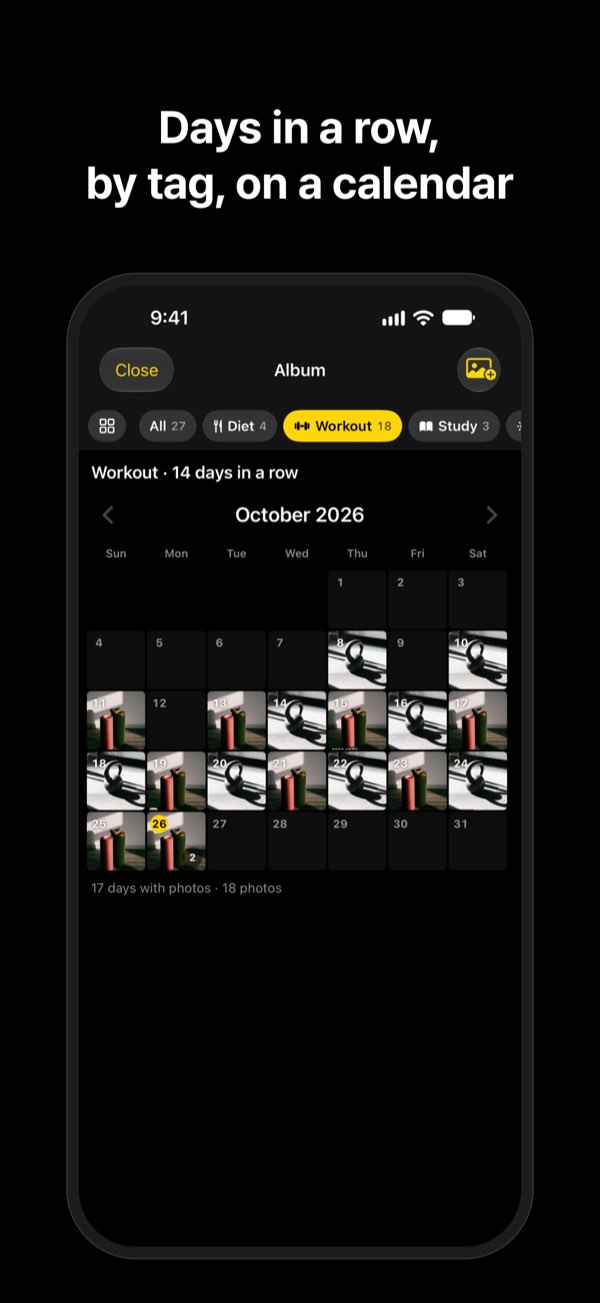
- Tap the calendar button at the top of the album to see which days in each month have photos. The line above the calendar shows how many days in a row have a photo in the album, counting back from today (or from yesterday, if there’s no photo yet today), using your iPhone’s current time zone. Choose a tag to count only that tag’s photos. Imported photos are counted by the date recorded in the photo.
- To keep other people out of the app, turn on App Lock in Settings > Security. The app asks for Face ID, Touch ID, or your passcode whenever you open it or come back from another app. This locks only this app, not the Photos app.
- Turn on Also Save Original Photo in Settings to keep an unstamped copy.
- Older photos can be stamped too. Tap Import Photo at the bottom right of the camera screen and the stamp uses the time saved in the photo (the top of the Format tab shows which time it uses).
What this app doesn’t do
- There’s no way to enter the stamp’s time. The camera uses your iPhone’s clock at the moment you shoot, and imported photos use the time saved in each photo.
- It isn’t a workout or diet tracker. There are no fields for sets, calories, or weight, only a one-line note or hashtag on the stamp.
- It doesn’t record video. It’s for photos only.
- There are no ads, no subscription, and no account. The app has no server and sends no data to the developer or any third party.
- No addresses or maps. The location stamp holds only a place name you type (for example “Gym”) and GPS coordinates your iPhone measures, both off by default.
- There’s no Android version. It’s an iPhone app.
Get it